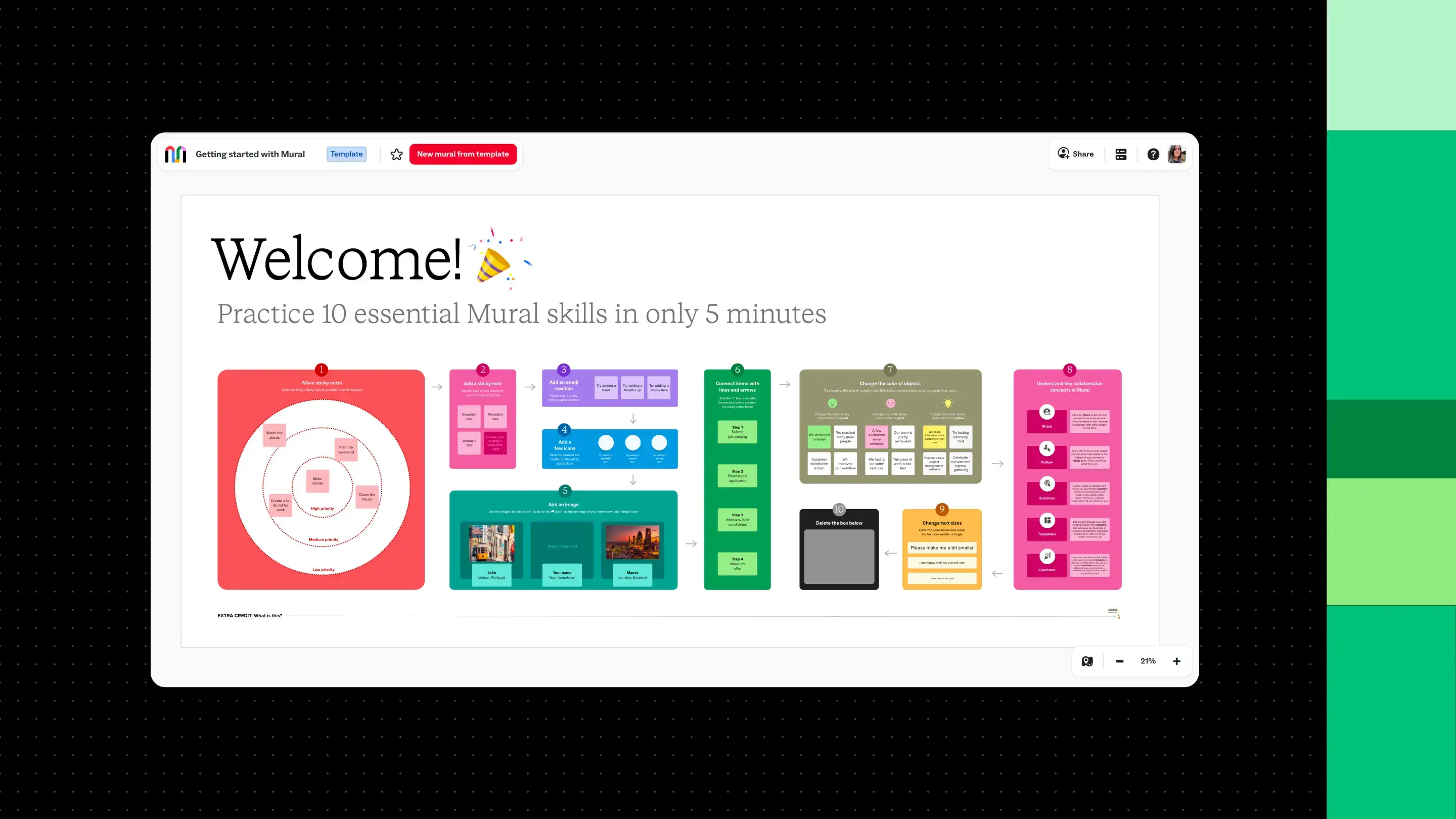
Mural gives individuals and teams a shared space to organize ideas and work through challenges visually, whether they're collaborating in real time or contributing on their own schedules.
Your first mural can be as simple as a collection of sticky notes. Add a few ideas, arrange them on a shared canvas, and invite a teammate to contribute. From there, you can build toward more structured brainstorming, planning, and collaborative workshops.
In this guide, you'll learn how to get started with Mural, create your first canvas, explore essential features, and bring teammates into the process. We'll use a simple customer onboarding brainstorming activity to demonstrate how to use Mural from setup through collaboration.
What is Mural?
Mural is a visual collaboration platform where people can brainstorm, plan projects, organize information, and work through ideas together.
Instead of capturing everything in a document or presentation, Mural gives you a flexible canvas where you can arrange sticky notes, text, shapes, images, and other visual elements. Multiple people can contribute to the same canvas, making it easier to see different perspectives and build on each other's work.
You can use Mural for activities such as:
- Brainstorming: Collect ideas, group similar suggestions, and explore possible solutions.
- Project planning: Visualize priorities, map dependencies, and organize upcoming work.
- Workshops: Guide groups through structured activities and capture feedback.
- Research synthesis: Organize findings, identify patterns, and share conclusions.
A mural can be a place to explore ideas independently or a shared resource that your team returns to throughout a project. As the work develops, you can update the canvas to reflect new information, decisions, and next steps.
How do you get started with Mural?
To get started with Mural, create or join a workspace, open a mural, add your content, and invite others to collaborate. You can begin with a blank canvas or use a template to structure your activity.
The following Mural tutorial walks through each step using a customer onboarding brainstorm as an example. You'll create a canvas for collecting ideas about how to improve the experience for new customers, then organize those ideas and share them with teammates.
For additional product instructions, you can also reference Mural's quickstart guide.
Create or join a Mural workspace
First, you'll need a Mural account and access to a workspace.
A workspace is where a team organizes its work in Mural. Within a workspace, rooms hold murals for specific projects or groups, while optional folders provide another way to organize related content. A mural is the individual canvas where you'll work with your ideas.
If your organization already uses Mural, you may receive an invitation to join an existing workspace. Follow the invitation instructions to access the resources shared with you.
Otherwise, you can create an account and begin using your own workspace.
Once you're signed in, the Mural dashboard is your starting point. Here, you can access recent murals, find existing projects, and create new content.
If you haven't created an account yet, sign up for Mural to get started.
Create a mural or choose a template
Now it's time to create your first mural.
Let's say your team wants to improve the experience for new customers. You'll use Mural to collect suggestions about customer onboarding, group related ideas, and identify improvements worth pursuing.
To create a blank mural:
- From your Mural dashboard, click + New mural.
- Enter a descriptive name, such as "Customer onboarding brainstorm."
- Select the workspace and room where you want to save it. You can also choose a folder.
- Click Create mural to open your canvas.
You'll arrive at a blank canvas where you can begin adding content. Mural saves your changes automatically.
When should you use a template?
A blank canvas is useful when you want to explore ideas freely. But if you already know the type of activity you're planning, a template can provide a ready-made structure.
For example, a brainstorming template might include designated areas for individual ideas, group discussion, and prioritization. A project planning template might organize information around milestones or upcoming tasks.
To start with a template, use the dropdown arrow beside + New mural on the dashboard and select the option to create a mural from a template. You can also add templates to a mural you've already created.
Templates aren't fixed layouts. Once you've added one to your canvas, you can adjust the content and structure to fit your activity. If your team regularly follows the same process, you can also create custom templates for future use.
Browse Mural templates to find a starting point for your next project.
Add ideas and use Mural's collaboration tools
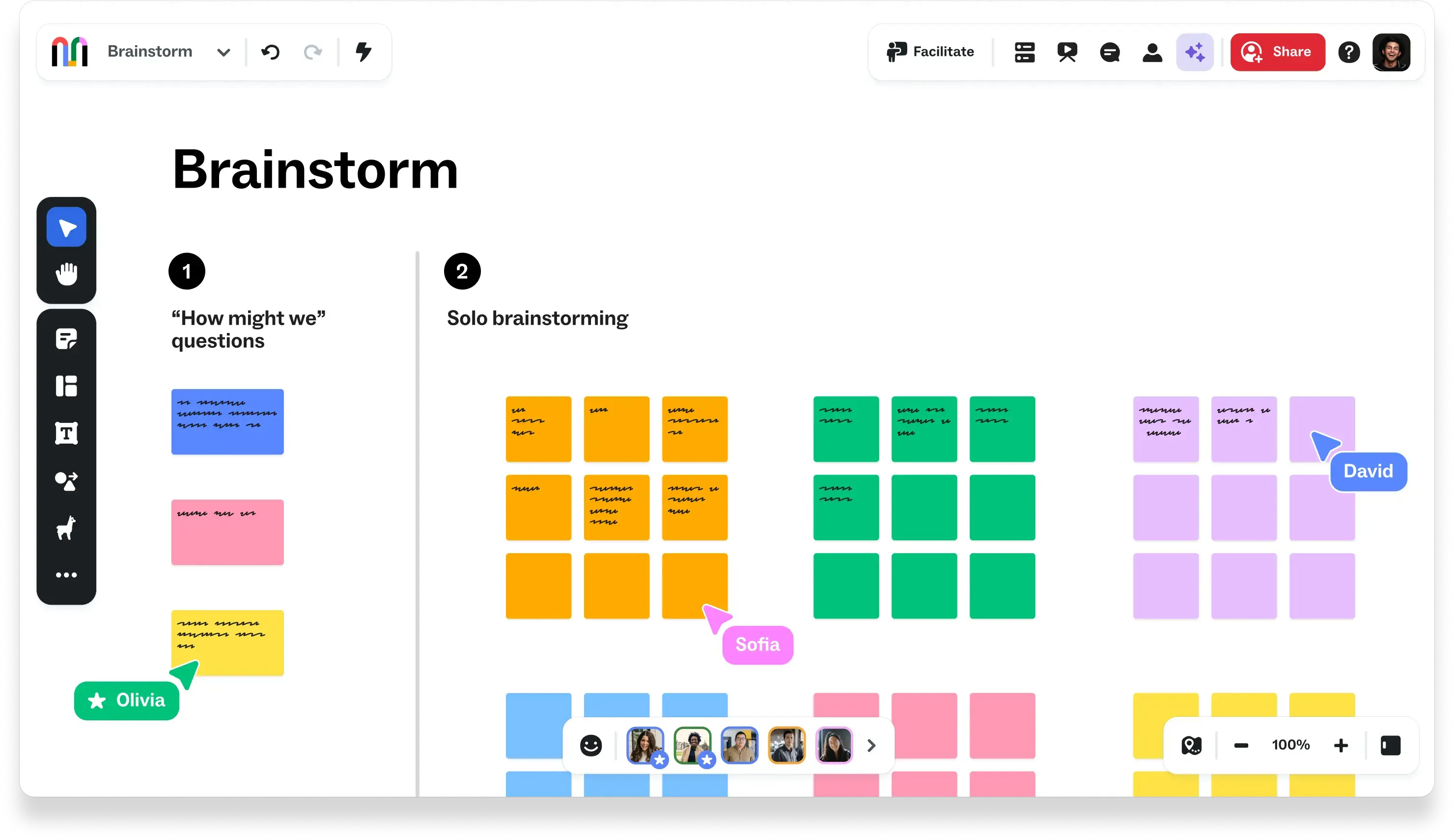
With your canvas ready, you can start adding ideas. The toolbar along the left side of the canvas gives you access to sticky notes, text, shapes, and other objects.
Let's continue with the customer onboarding brainstorm.
1. Add your first sticky notes
Select the sticky note tool from the left toolbar, then click or drag a note onto the canvas. Add one idea per note.
For example, you might create notes for "Improve welcome emails," "Simplify account setup," and "Add a guided product tour."
Separating ideas makes them easier to move, organize, and discuss later.
2. Organize related ideas
Click and drag sticky notes to rearrange them on the canvas. You can group related suggestions together, making patterns easier to recognize.
For instance, you might group notes about welcome emails and product tutorials under a heading labeled "First-time user guidance."
You can also add text, shapes, and connectors to label sections or show relationships between ideas.
3. Add context
If an idea needs more explanation, add supporting text or images to the canvas.
For the onboarding brainstorm, you might include a screenshot of the current signup flow or a short description of a customer problem. This gives collaborators a common reference when reviewing suggestions.
4. Review and prioritize
Once you've collected some ideas, look for recurring themes. Which suggestions address similar problems? Where are there gaps in the customer experience?
You can rearrange the notes into groups, add headings to identify recurring themes, and highlight ideas that deserve further attention.
Mural also includes tools for more structured collaboration, including timers, Private Mode, and voting sessions. We'll explore how to introduce those features when working with your team below.
Invite teammates and set access
Once you've added some initial ideas, bring your teammates into the mural.
Mural supports invitations by email and link sharing. You can choose who has access and what they can do with the content.
To share your mural:
- Open the mural and click Share in the upper-right corner.
- Invite by email: Enter the email addresses of the people you want to collaborate with and set their permissions.
- Configure link access: Choose who can access the mural through its link, such as specific invited people or members of your workspace.
- Review permissions: Check whether collaborators can view or edit the mural. Available options depend on your plan and organization settings.
- Copy the link: Click Copy link and share it through your preferred communication channel.
These settings determine how people participate. For our customer onboarding brainstorm, teammates need editing access to add sticky notes and organize suggestions. If you're sharing the results with stakeholders who only need to review the work, view-only access may be more appropriate.
Keep in mind that inviting someone to an individual mural is different from granting them access to an entire workspace. Workspace membership is managed separately.
Explore Mural AI
As your canvas fills with ideas, Mural AI can take some of the manual work out of organizing contributions.
For example, suppose your team has added dozens of sticky notes to the customer onboarding brainstorm. Rather than sorting each one individually, you can select the notes and use Cluster by topic to group related ideas.
Mural AI suggests categories based on the content of the notes. You can preview the results, refine the groupings, and decide whether to apply them to your canvas.
This gives your team a starting point for discussing common themes while keeping people responsible for interpreting the results and deciding what happens next.
Mural AI also includes tools for generating ideas, creating mind maps, and summarizing content. Availability depends on your Mural plan and administrative settings.
Connect Mural to your team's tools
Your team probably uses other platforms to communicate and manage projects. Mural integrations connect visual collaboration with those existing workflows.
For example, the Microsoft Teams integration brings murals into team conversations, while the Asana integration connects visual planning with project tasks.
You don't need to set up integrations to create your first mural. But as your team starts using Mural regularly, these connections can make it easier to share work and carry decisions into the tools you already use.
Explore the Mural integrations directory to find supported tools and setup instructions.
How can you get your team started with Mural?
Introducing Mural to a team doesn't require a formal training session. Start with an activity people already need to complete, give everyone a clear way to contribute, and build familiarity with the tools as you go.
You've created your first mural and invited your teammates. Now it's time to put that shared canvas to work.
Here are a few ways to make that first experience productive.
Start with a familiar activity
Choose a task your team already works on together, such as gathering feedback, exploring a problem, or planning an upcoming project.
For example, your customer onboarding brainstorm could begin with a simple question: "Where do new customers encounter the most friction?"
Give participants a clear objective and explain what you'll do with their contributions. People are more likely to engage when they understand how the activity connects to their work.
Keep the first session focused. You can introduce more elaborate workshops once everyone is comfortable working on a shared canvas.
Make it easy for everyone to contribute
Not everyone will be familiar with visual collaboration tools. Before starting an activity, demonstrate one or two basic actions, such as adding a sticky note or moving an idea into a group.
Then give people an opportunity to try it themselves.
Use clear prompts so participants know what you're asking for. Instead of telling people to "add your thoughts," ask them to identify a specific customer problem or suggest one improvement to the onboarding experience.
For more structured activities, you can use facilitation features such as timers to establish a focused period for brainstorming or Private Mode to collect ideas independently before opening the discussion.
Give people different ways to participate
Some teammates are comfortable sharing ideas in a live discussion. Others prefer time to think before contributing.
Mural supports both real-time and asynchronous collaboration, so you can make room for different working styles.
During a live session, consider starting with a few minutes of individual brainstorming before bringing everyone together to discuss the results. This gives each participant an opportunity to contribute before the group begins evaluating ideas.
For asynchronous activities, share the mural with a specific prompt and a deadline. Teammates can add their contributions when they're available, and everyone can return to the canvas to review what others have shared.
Build on your first activity
Once your team has completed an activity, use what you've learned to make the next one easier.
Keep successful murals as references, adapt templates to fit recurring workflows, and introduce new facilitation features as your team becomes more comfortable.
For example, if your customer onboarding brainstorm generates ideas worth pursuing, you might create another mural to map the current onboarding journey or plan improvements. The team can build on its earlier work instead of starting every conversation from scratch.
As people become more familiar with Mural, encourage them to create their own murals for upcoming projects. You can also follow the Mural quickstart guide to learn more about the platform's capabilities.
Where can you learn more about Mural?
Your first mural is just a starting point. As you become more comfortable, you can explore new ways to organize information and collaborate with your team.
For detailed product instructions, visit Mural's quickstart guide. You can also explore Mural templates for new activities or compare visual workspaces if you're evaluating collaboration platforms.
The next step is simple: Create a mural, add an idea, and invite someone to contribute. You'll learn more about what works for your team with each activity.