On this page
Template use cases
Use Video Scenario template
Get started


A way to explain the attributes of a new concept using video
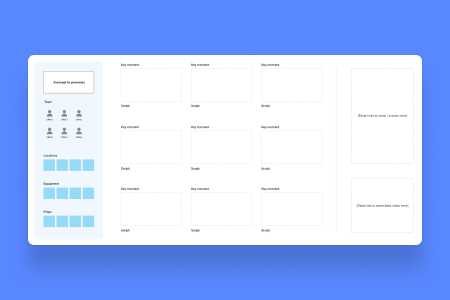
Calling all videographers! Are your works in progress not progressing in the way you want them to? Are you searching for a new way to organize and lay out your videos? If so, our video storyboard template is just what you need.
Whether you're crafting a blockbuster film, a promotional video, or a simple social media clip, a storyboard helps you anticipate potential challenges and streamline the production process. With everything mapped out in advance, you can focus on what truly matters — bringing your story to life. So, if you're ready to elevate your video production game, a storyboard template is the perfect place to start!
A video storyboard template is an essential tool for transforming your creative ideas into a structured visual narrative. Think of it as a blueprint for your video project, helping you organize scenes, visuals, and dialogue in a way that brings clarity to your storytelling vision. You can effectively plan your shots, transitions, and pacing, ensuring that your story flows seamlessly from one moment to the next.
According to The Storyboard Artist: A Guide to Freelancing in Film and Television by Giuseppe Cristiano, using a storyboard can increase the efficiency of video production by up to 40%. So, using a storyboard template can only help make your videos better.
Get an example of a storyboard for video here.
Jot down a brief description of your video’s theme or storyline for yourself or your team.
Once you have your rough video storyboard sample, it’s time for the fun part – start adding scenes! Here are some things to include in your template:
Invite your team to join in, share feedback, and make changes on the fly.
Review for flow and coherence, adjusting as needed.

Yes, Mural’s video storyboard template typically includes example scenes and layouts to help you get started. These samples illustrate how to structure your video project, making it easier to visualize your own ideas.
Mural does not allow direct downloading of templates, but you can easily export your completed storyboard as a PDF or image file. This way, you can share or print it for reference during your production process.
Customize the template: Tailor the template to fit your project’s unique needs by adding or removing sections.
Collaborate: Invite team members to contribute and provide feedback in real-time.
Utilize visuals: Incorporate images and sketches to enhance your storyboard's clarity and engagement.
Keep it organized: Use clear labeling and consistent formatting to maintain organization throughout your storyboard.
Review and Revise: Regularly revisit your storyboard for updates, ensuring it aligns with any changes in your project.
No credit card required