

AI meeting assistant for team alignment Mural Compose turns meetings into alignment your whole team can see.
Most AI notetakers give you a record of what was said. Mural Compose gives your team a visual meeting summary of what was decided, who owns it, and what happens next, right on the Mural canvas. Whether everyone's on the call or half the team is in the room.
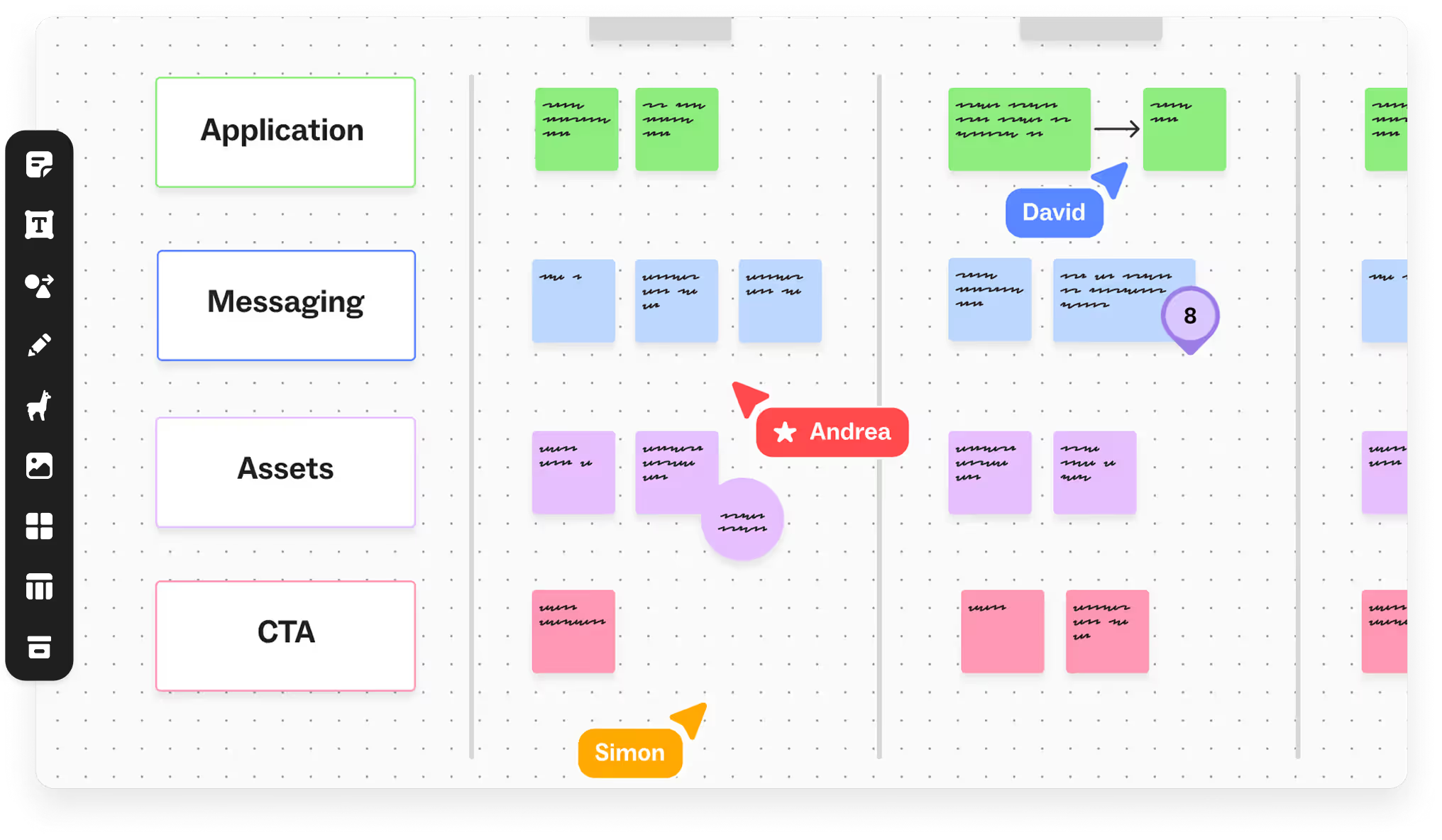


From conversation to visual understanding
Transcription is table stakes. What teams still miss is one shared view of what was decided, who owns it, and what happens next. Mural Compose turns the conversation into a visual meeting summary on the canvas, so everyone leaves on the same page, whether they joined from a conference room, a home office or a phone.
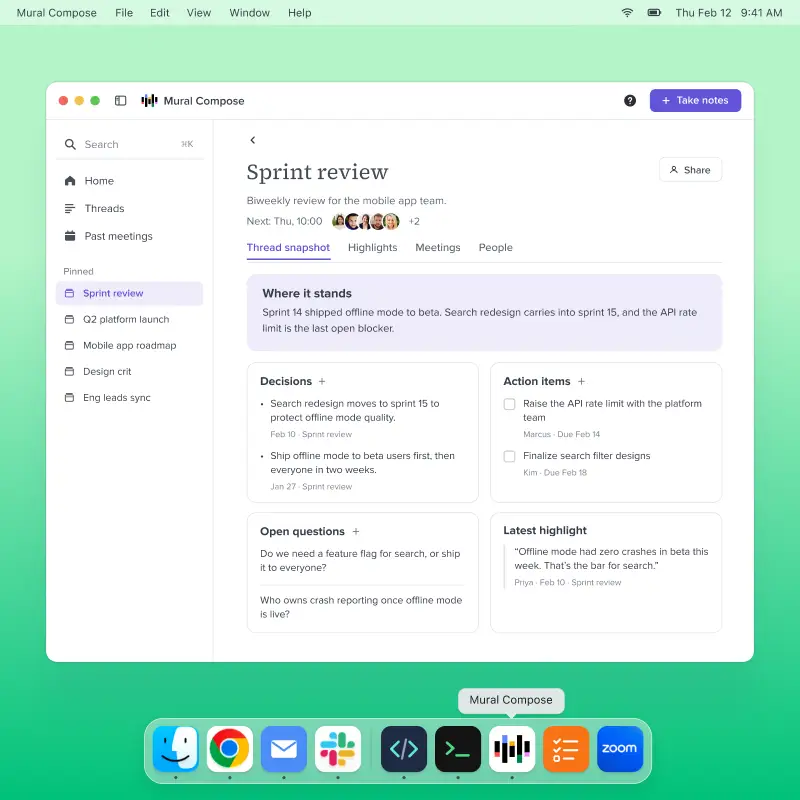
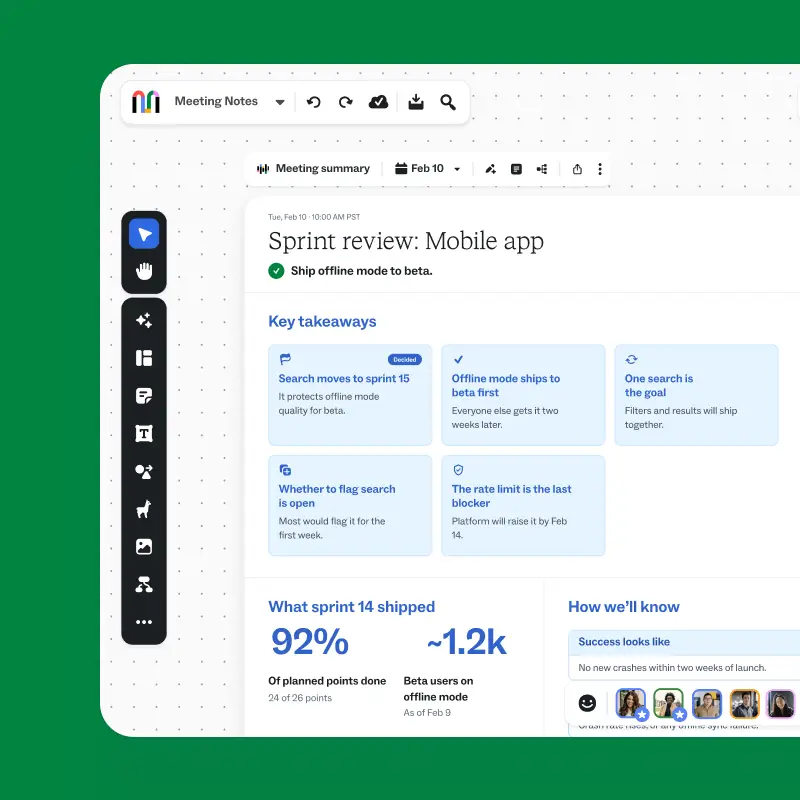
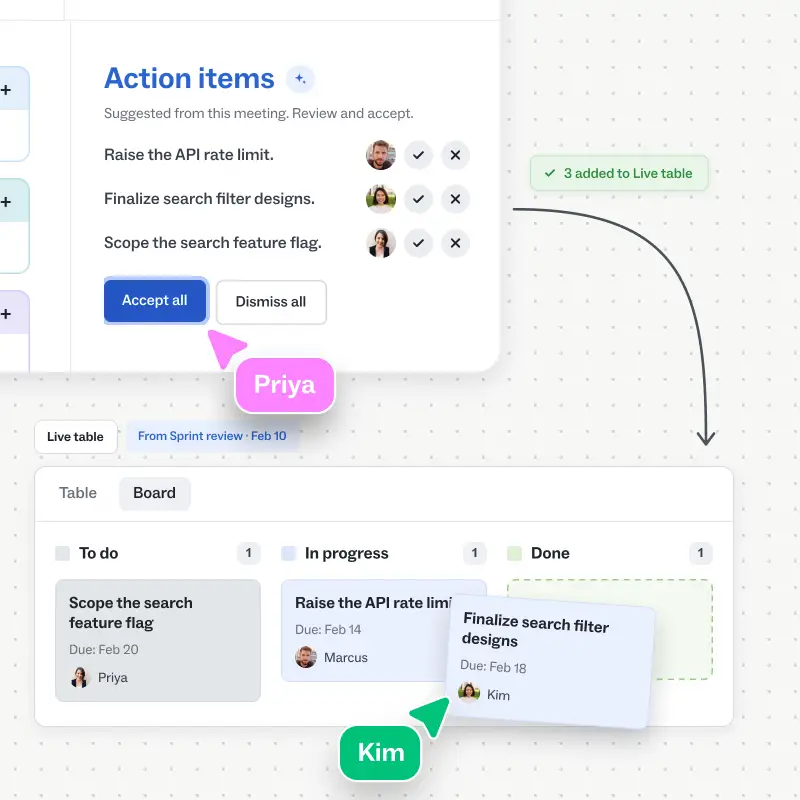
Meeting notes people actually want to share

It’s definitely much better than most of the AI summaries I’ve used. It’s more visual… It’s like a little newsletter.
My Wednesday morning meeting that’s always a mess… would benefit from this.
What you can do with Mural Compose
Every conversation your team has creates context worth keeping. Mural Compose captures it, makes it easy to find, and turns it into shared work your whole team can see and act on.
Capture meetings without a bot
The Mural Compose desktop app for Mac and Windows captures audio from your computer, so no bot joins the call. It works with Zoom, Google Meet, Microsoft Teams and hybrid rooms, and nothing records until you say so.
Pick up where the last meeting left off
Group recurring meetings into a thread, and Mural Compose stitches their context together. Before your next one, see where the project stands: what’s decided, what’s still open, and who owns each action item.
Make every meeting visual
Each meeting becomes a visual summary on the canvas, with decisions, open questions, action items, and owners laid out so anyone can scan it in minutes. The whole team can edit it and build on it.
How teams use Mural Compose to turn meetings into action
The teams that meet most also pay the most to rebuild what happened afterward: the recap, the status update, the "wait, what did we decide?" Mural Compose removes that work by putting the meeting where the team already plans.

Launch reviews, design critiques and planning sessions produce the decisions product teams run on, often with half the team remote. Mural Compose captures them and drops the meeting summary next to the roadmap on the canvas. Next week starts from what was decided, not from memory.

Consultants, account teams and customer success managers owe a written follow-up after nearly every call. Mural Compose turns the conversation into a shareable summary with owners and next steps, so the whole account team works from what the customer actually said.

Cross-functional syncs create commitments that scatter across inboxes and chat, especially when teams span time zones. With the meeting summary on a shared mural, every owner and next step is in one place for everyone who couldn't make the call.
Frequently asked questions
What is Mural Compose?
Mural Compose is an AI notetaker from Mural built for team alignment. The desktop app for Mac and Windows captures your meetings without a bot, then turns them into a visual meeting summary on the Mural canvas, with decisions, owners and next steps your whole team can see and act on.
How does Mural Compose work?
Install the desktop app and sign in with your Mural account. Start recording when your meeting begins, whether it's on Zoom, Google Meet, Microsoft Teams or a hybrid call; Compose captures audio from your computer, so no bot joins. When the meeting ends, review the transcript and summary, ask follow-up questions, and click Send to Mural to put the meeting summary on a mural your team can work in.
How is Mural Compose different from other AI notetakers?
Most AI notetakers are built for recall. They give one person a transcript and a summary to read later. Mural Compose is built for alignment. It starts with the same capture, then puts a visual, scannable view of decisions, owners and next steps on a shared canvas, so the whole team works from the same understanding instead of waiting on whoever writes the follow-up.
What is meeting intelligence, and how does Mural Compose support it?
Meeting intelligence is turning what's said in meetings into decisions and actions a team can use, not just a record of the conversation. Mural Compose supports it with summaries you can edit, answers cited to the exact moment in a meeting, and meeting summaries that live where your team plans.
How does Mural Compose improve team alignment?
Alignment breaks down when the record of a meeting lives with one person, or when the people who joined remotely miss what was decided in the room. Mural Compose gives everyone the same view of what was decided, who owns what, and what's still open, on a canvas they can all edit.
What are meeting summaries and live tables?
A meeting summary is a visual, one-page view of a meeting on the Mural canvas: a cover with the meeting details, takeaway cards, and action items. When you accept the action items, they become a live table with an owner, status and due date for each one. You can sort it or switch to a board view. Anyone with access to the mural can edit both.
Do I need Mural Compose to create a meeting summary?
No. Paste a transcript from Zoom, Google Meet, Microsoft Teams or another tool into a mural to create a meeting summary. Mural Compose removes the paste step by capturing your meetings for you.
Will meeting participants know they're being recorded?
Mural Compose only records when you start it, and asks you to confirm participants have been notified before recording begins. You're responsible for letting everyone know, including people in the room, and for getting any consent required where you and they are located.
Will our conversation data be used to train models?
No. Mural doesn't use your meeting content to train general-purpose AI models, and our AI providers are configured to exclude it from their training. Audio isn't kept after it's transcribed.
Is Mural Compose free?
Mural Compose is available at no additional cost during the private beta. Mural may introduce paid plans or usage limits later.
How do I get access to Mural Compose?
Mural Compose is currently in private beta and invite-only. Join the waitlist above and we'll email you when there's a spot for your team. You'll need a Mural account to sign in.
Mural Compose is a beta feature, available by invitation to eligible users in the United States. Features may change, be limited or end at any time, and use is subject to beta terms you'll accept when you set up Mural Compose. Joining the waitlist doesn't guarantee access.
Mural Compose uses AI to create transcripts, summaries and action items, which may be inaccurate or incomplete; review them before you rely on or share them. Mural doesn't use your meeting content to train general-purpose AI models. See our AI Terms and Privacy Statement, and additional terms.
You're responsible for notifying meeting participants and getting any consent required before you record. Mural Compose isn't designed for meetings involving sensitive, regulated or highly confidential information.


