
.avif)



.avif)

Why Mural for creating vision boards
- With Mural, you have an infinite canvas that you can customize with hundreds of free and editable templates and frameworks
- Use integrated libraries of icons, images, GIFs, and more to bring your ideas to life, and embed rich media into any mural
- Capture everyone’s ideas together in a digital space, organize by theme, and refine your vision over time
- Not only brainstorm, but build beautiful presentations together by adding key moments to your outline, and using Mural’s presentation mode

Mural is a powerful digital workspace for visual collaboration that boosts creativity and ensures that no good idea is lost. With Mural's easy-to-use tools and features, you can make vision boards together quickly and easily. You can also improve your work over time as your vision changes.
Interactive collaboration
With Mural, your whole team can work on the same vision board simultaneously, making it ideal for team collaboration and brainstorming sessions.
Rich media integration
Users can enrich their vision boards with not only text and images, but also videos, links, and documents, providing a comprehensive and dynamic planning tool.
Templates, frameworks, and media
Mural offers hundreds of free templates and frameworks that can be used as a starting point for creating vision boards, saving time and inspiring creativity. You also have direct access to libraries of icons, images, and GIFs, right in the toolbar while working in any mural.
Scalability
The platform supports everything from small projects to large-scale collaborations, making it suitable for individuals, small teams, or entire organizations.
Real-time changes
Changes made by any participant are updated in real-time, ensuring all collaborators are viewing the most current version of the vision board.
Accessibility
Mural can be accessed from any device with internet connectivity, allowing users to contribute or view the vision board from anywhere at any time.
Integration capabilities
Mural integrates with popular tools like Microsoft Teams, so you can build your vision board together right inside the platforms you’re already using.
Facilitation features
Tools such as voting, timers, and attention management help facilitate structured and productive discussion during vision board creation sessions.
Security
Mural provides enterprise-grade security features, ensuring that sensitive information and intellectual property are protected during collaborative sessions.
Visual impact
The platform's focus on design and user experience means that vision boards aren't only functional but also visually appealing, which can enhance engagement and motivation.
Learn more about the power of visual collaboration with our complete guide to the subject, and how to get started.
How to use Mural’s vision board maker
To use Mural to create your vision board, you can either begin with a blank canvas, or start with our Vision Board template.

- First, clearly define your objectives so that you’ll have broad alignment when starting to share ideas and build your vision board
- Invite all relevant stakeholders to your vision board meeting to ensure that everyone’s priorities are reflected in your results
- Add sticky notes and text to get your ideas rolling (pro-tip: color code your sticky notes, or group them by theme, to help make your vision more clear and actionable)
- Use shapes and connectors to show relationships between ideas
- Leverage our libraries of icons, images, GIFs, and more to add visuals to your board
What types of vision boards can I make with Mural?
Mural is a versatile digital workspace designed for visual collaboration, which makes it ideal for creating various types of vision boards. Here are some types of vision boards you can make with Mural:
Goal-setting vision boards
- Focus on personal or professional goals.
- Include milestones, inspirational images, and motivational quotes that align with your objectives.
Project planning boards
- Useful for mapping out the steps of a project.
- Incorporate timelines, task lists, and resources needed for project completion.
Product vision board
- Clarify the purpose of the product
- Define target audience and set product goals and key success metrics
Brand vision boards
- Ideal for businesses looking to define or redesign their brand identity.
- Include elements like color palettes, typography, logos, and imagery that represent the brand’s ethos.
Event planning boards
- Helpful for organizing the details of events such as weddings, conferences, or parties.
- Layout venues, themes, schedules, and guest lists.
Educational or training boards
- Designed for educational settings or training sessions.
- Include learning objectives, key resources, group activities, and feedback sections.
Creative or inspirational boards
- Aimed at artists, writers, or creative professionals.
- Gather sources of inspiration, mood imagery, sketches, and color schemes.
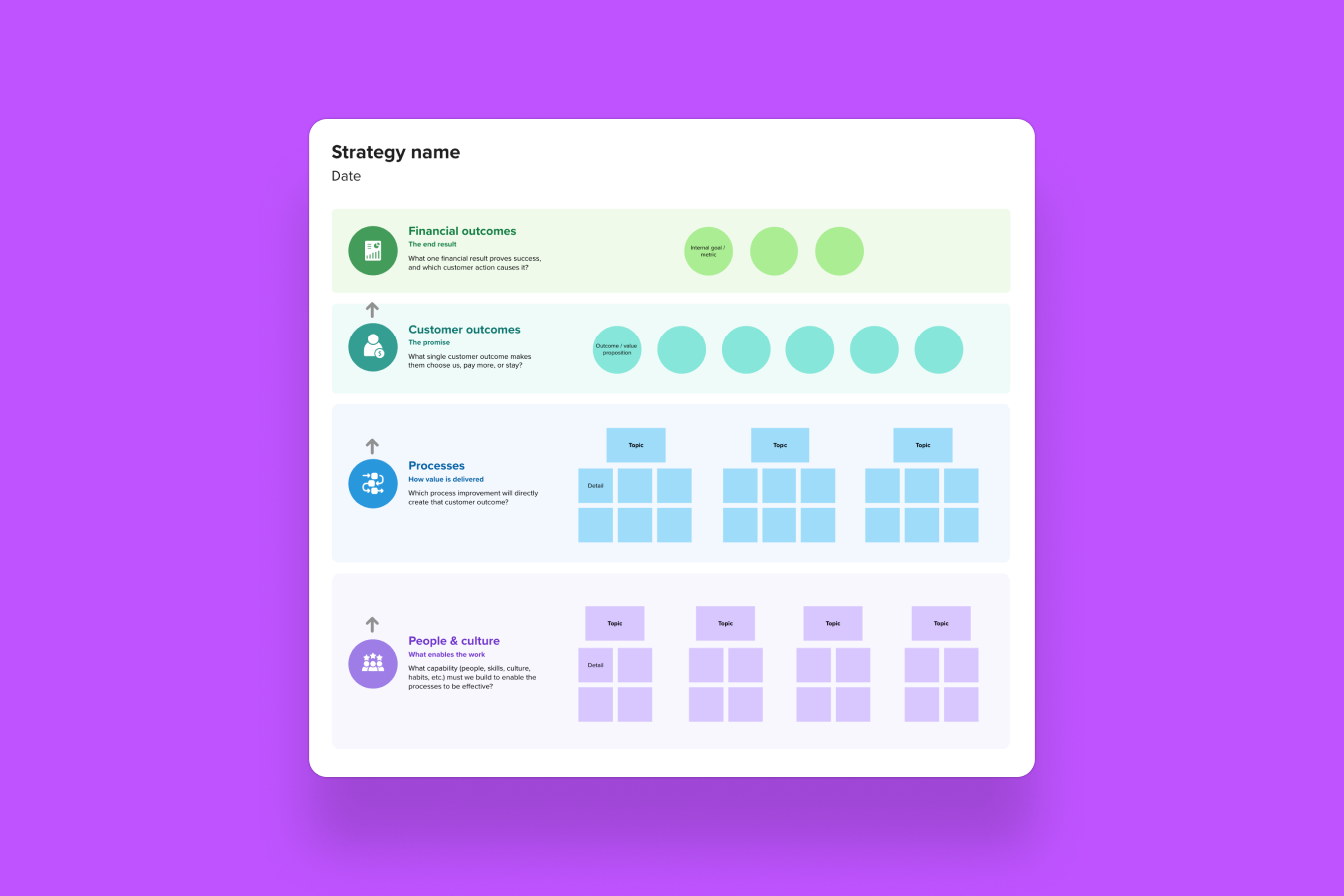
Strategy boards
- Used for strategic planning and business development.
- Feature SWOT analysis, business goals, market trends, and competitor analysis.
.webp)
.webp)
.webp)







%20(1).avif)