Try the Salesforce integration today!
Get started


+

Map relationships, keep contact details in sync, and embed your murals directly in Salesforce.

With the Mural + Salesforce integration, teams can visually organize Salesforce contacts to better understand relationships, identify key decision-makers, and build effective stakeholder maps that inform engagement strategy. Getting started takes just a few clicks.
Once connected to your Salesforce instance, you can search for and select contacts from any account and insert them directly into your mural as LinkedIn‑enriched profile cards. You can also paste a Salesforce contact URL into any mural to instantly create a profile card.
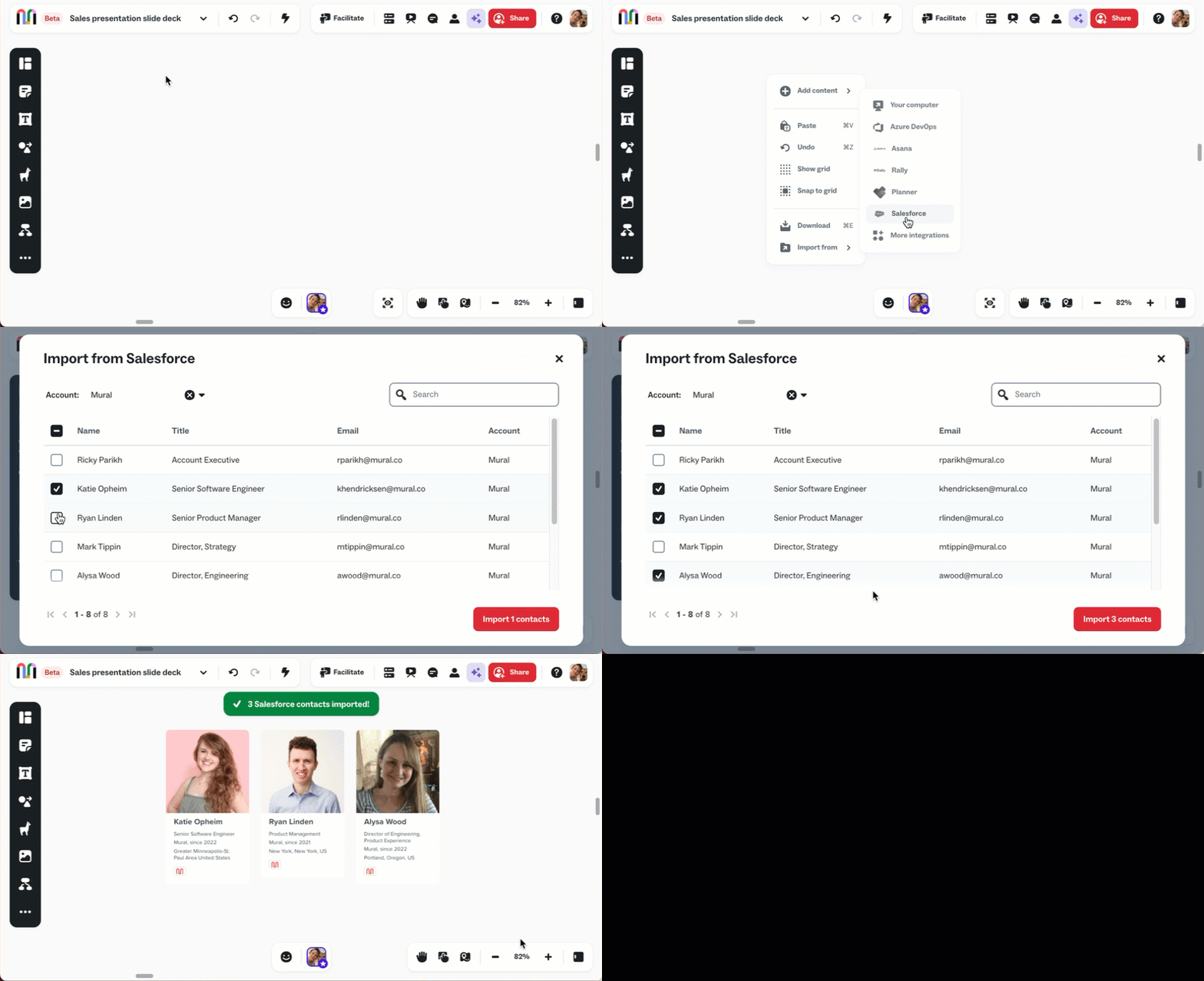
Note: If a contact doesn’t have a LinkedIn profile, their profile card will display a placeholder image.
On the canvas, move and resize contact cards, add tags to capture key details (such as responsibilities or influence), and diagram connections to show how individuals relate to each other.
Stay aligned with a two-way sync between Salesforce and Mural. Update a contact’s details in Mural or Salesforce and click “Sync” in the profile card’s info panel to sync changes. Updates flow both ways so your contact information stays consistent in Mural and in Salesforce.

You can also embed murals directly within Salesforce for easier access and visibility across your team. Embedded murals make work discoverable—so when teammates change or accounts shift, everyone stays connected to the same shared context.
.png)
Over 95% of the Fortune 100 use Mural to get things done.
No credit card required







.avif)
.avif)


.svg)


