On this page
Template use cases
Use One quarter roadmap template
Get started
Plan a focused 90-day roadmap to align teams and priorities

Mural's one quarter roadmap template gives your team a single, visual workspace to plan the next 90 days. Instead of scattering goals across slide decks, spreadsheets, and chat threads, you can map initiatives to a week-by-week timeline, assign owners, and see the full quarter at a glance.
What you end up with is a shared picture of what matters most and when it needs to happen. Teams stay aligned on priorities, stakeholders get the visibility they need, and everyone spends less time asking "what's the status?" and more time doing the work. Whether you're planning a product sprint cycle, a go-to-market push, or an R&D initiative, this collaborative roadmap template keeps the quarter on track.
A one quarter roadmap template is a structured plan for a single 90-day period. It captures the goals, initiatives, milestones, and owners your team needs to move from planning to execution within one quarter.
It's different from a broader product roadmap or one-year roadmap, which cover longer time horizons and tend to stay at a higher altitude. A one quarter roadmap zooms in. It's where strategy meets scheduling: specific enough to drive weekly work, but flexible enough to absorb the inevitable mid-quarter shifts.
This template is built around the things that make quarterly planning actually work: structure, clarity, and room for real-time updates. Here's what's included.
Quarterly planning often stalls because the plan itself is hard to see. A visual roadmap template changes that. With this template, your team can:
Getting started doesn't require a two-day offsite. Here's a practical walkthrough you can run asynchronously or in a live session.
Start by identifying the two to four outcomes that matter most for the next 90 days. These should connect to your organization's broader strategy, but be concrete enough to guide weekly decisions. Add them to the top of the template so every initiative ladders up to a clear objective.
List the projects, experiments, and deliverables that will move you toward those goals. This is where you separate "must do" from "nice to have." If your team is struggling to prioritize, try running a quick organizational alignment exercise to surface conflicting assumptions before they become mid-quarter surprises.
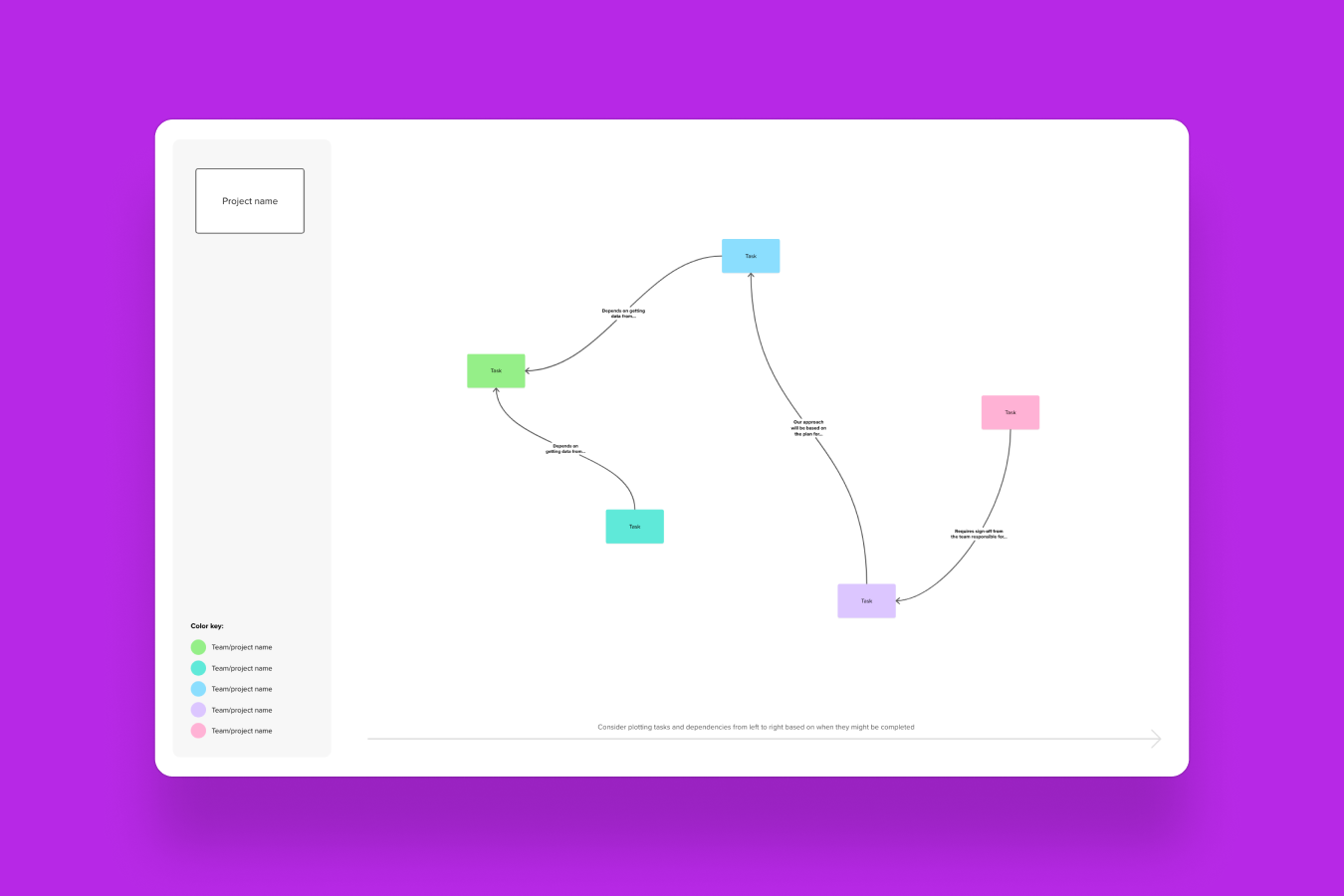
Place each initiative on the Gantt-style timeline. Stagger start dates, identify overlapping commitments, and mark key milestones (reviews, launches, handoffs). The visual layout makes overcommitment obvious in a way that a task list can't.
Every initiative should have a named owner. This isn't about micromanagement; it's about clarity. When everyone on the board can see who's responsible for what, cross-functional coordination gets simpler. If your teams use Jira or Azure DevOps, Mural's two-way sync lets you connect roadmap items to tickets so planning and execution stay linked.
A roadmap isn't a contract. Review it at your regular cadence (weekly standups, biweekly syncs, monthly check-ins) and update it as priorities shift. Use Mural AI's Summarize feature to pull quick recaps of what changed and why, so stakeholders who can't attend every meeting stay informed without another status email.
A 90-day roadmap template fits anywhere you need focused execution with cross-functional visibility. Here are some common scenarios.
Quarterly planning cycles
The most straightforward use case. At the start of each quarter, leadership and team leads come together to set priorities and map them to a timeline. The one quarter roadmap becomes the source of truth for what's in scope and what's not.
Product sprint planning across a quarter
Product managers can use the template to lay out sprint themes and major releases across 12 or 13 weeks. It's especially useful for coordinating dependencies between engineering, design, and QA.
Go-to-market launches
When a campaign or product launch spans multiple teams, the roadmap keeps marketing, sales, and customer success aligned on timing. Add rows for content milestones, enablement deliverables, and launch-day activities.
R&D initiative planning
For teams managing research cycles, prototype timelines, or innovation sprints, the template provides enough structure to keep work on track without forcing premature commitment to fixed deliverables. Learn more about how
Example: A product team preparing for a mid-quarter feature launch uses the template to map out five workstreams: research synthesis, design, engineering, QA, and go-to-market. Each workstream gets its own row with milestones marked at design review, code freeze, and launch day. During weekly syncs, the team updates the mural in real time, flags blockers with red sticky notes, and uses the timeline to negotiate scope trade-offs when a dependency slips. By the end of the quarter, the launch ships on time because the team could see the whole picture from week one.
1. Start with outcomes, not outputs. "Ship feature X" is an output. "Reduce onboarding drop-off by 15%" is an outcome. When your roadmap is anchored to outcomes, it's easier to adjust the how without losing sight of the why.
2. Limit priorities ruthlessly. If everything is a priority, nothing is. Aim for two to four major initiatives per quarter. Teams that try to fit eight or ten end up context-switching instead of making progress.
3. Keep timelines honest. Optimistic planning is the enemy of good roadmaps. Build in buffer for the unexpected, especially if your team is also handling support, bug fixes, or ad hoc requests alongside planned work.
4. Align stakeholders early, not after the plan is "done." Invite collaborators to the mural during the planning phase, not just for the review. When people help shape the roadmap, they're more invested in following it.
5. Make the roadmap visible and revisitable. Pin it in your team's Slack channel, pull it up at the start of syncs, share it in your all-hands. A roadmap that lives in a forgotten tab doesn't align anyone.
6. Review and adjust at a regular cadence. Monthly or biweekly check-ins keep the plan current. Use these reviews to celebrate progress, not just flag what's behind.
7. Use AI to reduce the busywork. Mural AI can help you generate initiative ideas from a set of goals, classify sticky notes by theme, or summarize session outcomes. Let the platform handle the synthesis so your team can focus on the decisions.
Open the one quarter roadmap template in Mural and start building a 90-day plan your whole team can see, shape, and act on.
A one quarter roadmap gives teams clarity on what to focus on, alignment around shared priorities, and visibility into progress across the 90-day period. It helps prevent the common problem of teams working hard on different things without realizing they're misaligned. It also makes trade-off conversations easier because the plan is visible and shared, not locked in someone's head.
Start by defining two to four key goals for the quarter. Then identify the initiatives that will drive those goals forward, and map them to a week-by-week timeline. Assign owners, mark milestones, and review the plan with stakeholders before the quarter begins. Once the quarter is underway, update the roadmap regularly to reflect progress and any shifts in priority. Using a visual, collaborative workspace like Mural makes this process faster and keeps the plan accessible to everyone involved.
The best 90-day roadmap template is visual, flexible, and collaborative. It should let you map work to a timeline, assign owners, and update the plan without starting over. Mural's one quarter roadmap template checks all of those boxes and adds real-time collaboration, integrations with project management platforms like Jira and Azure DevOps, and AI features that speed up synthesis and organization. Over 50% of the Fortune 100 use Mural to plan, align, and execute, so the platform is built for the kind of cross-functional planning that quarterly roadmaps demand.